Learning how to rank a service area business on Google Maps starts with one critical fact: adding twenty cities to a Google Business Profile will not make it rank across all twenty. Google still needs to understand what the business does, where it is genuinely based, which customers it serves, and why it should be trusted over closer competitors. The winning strategy connects a policy-compliant profile, strong service relevance, city-specific website evidence, genuine reviews, local authority, and location-based measurement.
To rank a service area business on Google Maps, verify one eligible Google Business Profile, hide the address if customers are not served there, select accurate service areas, choose the correct primary category, list real services, earn genuine reviews, build useful service and city pages, maintain accurate business information, and measure rankings from multiple locations.
Google says local results are mainly based on relevance, distance, and prominence. A service-area business cannot remove distance from the calculation by selecting a larger coverage area. It must become the most relevant and trusted practical option for searches it can realistically serve.
What is a Service Area Business?
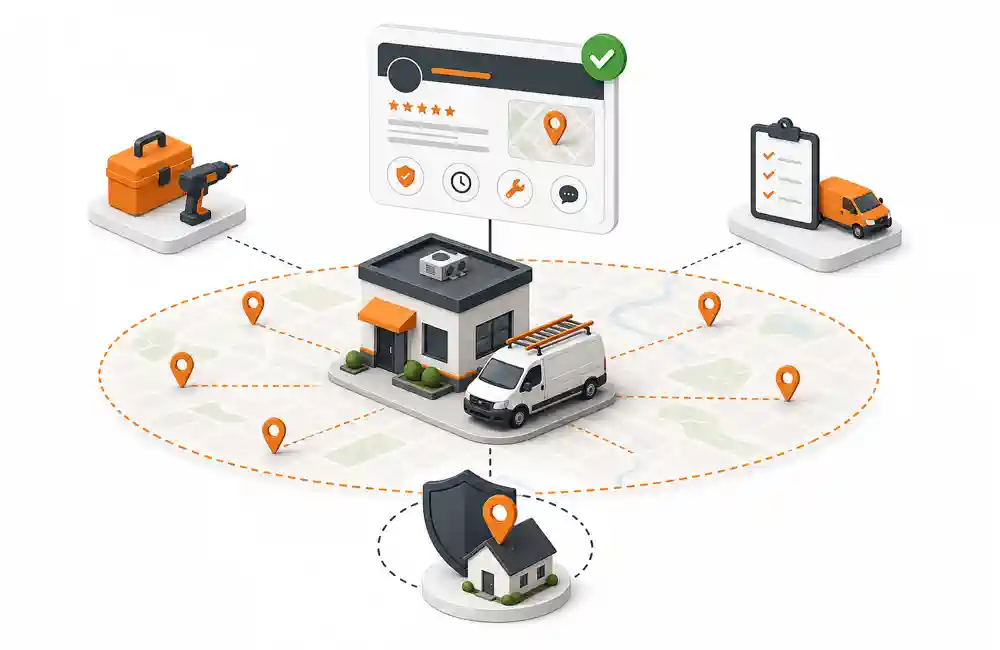
A service area business, often shortened to SAB, visits or delivers to customers instead of serving them at its own address. Common examples include:
- Plumbers
- Electricians
- HVAC contractors
- Roofers
- Cleaning companies
- Pest control services
- Mobile mechanics
- Locksmiths
- Towing companies
- Landscapers
- Moving companies
- Home healthcare providers
- Mobile pet groomers
- Appliance repair companies
Google separates local businesses into three main operating models:
| Business model | Customers visit the address? | Business visits customers? | Address shown publicly? |
| Storefront | Yes | Usually no | Yes |
| Service-area business | No | Yes | No |
| Hybrid business | Yes | Yes | Yes, when eligible |
A hybrid business may show its address and add service areas when it has a staffed customer-facing location with permanent signage. An auto repair shop that accepts vehicles at its garage and provides roadside assistance is one example.
Google’s service-area business guidance says a service-area business can have one profile for the area it serves. Separate profiles are allowed only for separate eligible operating locations with their own staff and genuine service coverage. A mailbox, virtual office, lead-generation address, or unstaffed co-working desk does not create another eligible location.
How Google Ranks a Service Area Business
Google uses the same three main local ranking principles for storefront and service-area businesses.
Relevance
Relevance is how closely the business matches the search. Google looks at signals such as the primary category, secondary categories, services, website content, business information, and the meaning of the query.
If a user searches “emergency plumber near me,” a profile with the correct plumbing category, genuine emergency plumbing services, a relevant website page, and supporting customer feedback has clearer relevance than a generic home-services listing.
Distance
Distance is how far the business is from the searcher or the location named in the query. Hiding an address does not erase the physical basis of the business.
Google does not publicly explain every detail of its distance calculation. However, consistent local SEO testing shows that the location used to verify a service-area profile still shapes where the business is strongest. A company based on the edge of a city may rank well near its base and struggle in neighbourhoods across town.
Prominence
Prominence reflects how well known and credible a business appears. Google’s local ranking guidance identifies reviews, positive ratings, and links to the business as signals that can support local prominence.
For a service business without a visible shopfront, trust must come from other evidence: customer reviews, recognised local or industry mentions, a credible website, consistent business details, completed work, experience, and a brand people search for by name.
The Biggest Service-Area Ranking Myth
Adding more service areas does not automatically make a business rank in more cities.
Google lets eligible profiles add up to 20 areas by city, postal code, or another supported region. The overall coverage should generally remain within about two hours of driving time from the business base. These settings help customers understand where the company works.
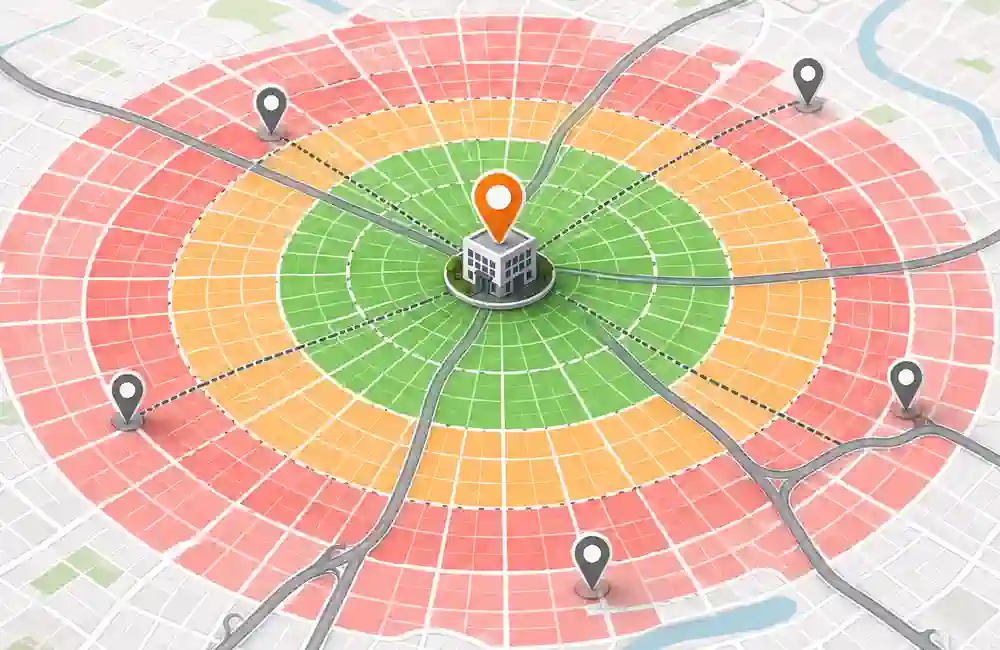
Independent local SEO testing, including research published by Sterling Sky, indicates that the listed coverage itself does not override proximity. Selecting a city fifty miles away is not the same as having an eligible operating location there.
Use the service area field for accuracy and customer expectations. Use profile relevance, website content, reviews, local proof, and real authority to compete for visibility.
12 Steps to Rank a Service Area Business on Google Maps
The following system explains how to rank a service area business on Google Maps without fake locations, keyword-stuffed names, or copied city pages.
1. Set Up the Correct Business Type
Choose the profile model that matches how the business operates in the real world.
If team members travel to customers and no customers are received at the business address, set the listing as a service-area business and hide the address. If customers can visit a staffed location with permanent signage during stated hours and the team also travels, use a hybrid profile.
Do not show a residential address merely to gain a map pin. Google’s business representation guidelines require service-area businesses to hide addresses where customers are not served.
2. Verify the Real Operating Location
Verification proves that the business exists and that the person managing the profile represents it. Depending on the business and region, Google may offer video, phone, email, live video, or other methods.
For video verification, prepare evidence before recording:
- Street signs or nearby landmarks that confirm the location
- A branded vehicle when genuinely used by the business
- Tools, equipment, products, or work materials
- Business documents that match the profile
- Access to staff-only equipment or operational areas
- Proof that the business name and service model are real
Google’s video verification instructions explain that the recording should show the business location, equipment, and proof of management. Do not create another profile if verification becomes difficult. Fix the information or evidence problem first.
3. Select Accurate Service Areas
Add the cities, postal codes, or regions that the business genuinely serves. Google currently allows up to 20 service areas and advises keeping the overall boundary within about two hours of driving time in most cases.
Prioritise areas based on:
- Current customers and completed work
- Reasonable travel time
- Profitability
- Team capacity
- Search demand
- Service fit
- Real plans for continued coverage
Do not add remote cities solely because they have high keyword volume. An oversized area can mislead customers and make the business look less credible. After editing service areas, Google says approved changes may take up to 48 hours to appear.
4. Use the Real Business Name
Enter the name used on business registration, branding, vehicles, invoices, website, and customer materials. Do not append keywords or city names that are not part of the actual name.
Spam example:
ABC Plumbing – Best Emergency Plumber in Lahore, Drain Cleaning and Water Heater Repair
Policy-aligned example:
ABC Plumbing
Keyword stuffing may create short-term visibility in some markets, but it also creates suspension risk and weakens brand consistency. Put services and locations in the proper profile fields and website pages.
5. Choose the Best Primary Category
The primary category should describe what the business is, not every service it offers.
A roofing contractor should normally use the most accurate roofing category, not a broad construction category chosen only because competitors use it. Add secondary categories for other major and genuine parts of the business.
Use this process:
- Identify the main revenue-producing service.
- Check which category states the core business most accurately.
- Review legitimate top competitors for the target query.
- Add only secondary categories supported by real services.
- Recheck categories when the business model changes.
Changing categories every few days prevents reliable testing. Record the old category, edit date, ranking baseline, and result.
6. Complete Every Customer-Useful Profile Field
An accurate profile makes the business easier to understand and contact. Complete the fields available for the selected category:
- Phone number
- Website
- Regular and special hours
- Business description
- Services
- Service descriptions
- Appointment or quote link
- Relevant attributes
- Opening date
- Photos and videos
Write the description for customers. Explain the main work, the area served, experience, and what makes the process dependable. Do not fill it with repeated city names.
Service fields should mirror real offers and relevant website pages. For example, an HVAC company may list air conditioner repair, furnace repair, heat pump service, maintenance, and emergency HVAC work when those services are genuinely available.
7. Link the Profile to the Right Website Page
The profile website link should lead to the page that best represents the business and its local services. For a single-location service business, this is often a well-built homepage or primary location page.
The linked page should clearly answer:
- What does the business provide?
- Where is it based?
- Which areas does it genuinely serve?
- Who performs the work?
- What experience or licences support the service?
- How can a customer request help?
- What proof shows successful local work?
Keep the business name, main phone number, service model, and core location information accurate across the profile and website. Minor formatting differences do not matter as much as factual conflicts such as an old phone number or wrong address.
For the wider foundation, read this guide to local SEO for small businesses.
8. Build Strong Service Pages
Create one useful page for each major service with enough demand and business value. A plumber may need separate pages for drain cleaning, leak repair, water heater repair, sewer repair, and emergency plumbing.
A strong service page contains:
- A clear service explanation
- Problems and symptoms the service addresses
- The process customers can expect
- Service options
- Relevant licences or experience
- Original job evidence
- Service-area context
- Pricing factors when appropriate
- FAQs
- A direct call, form, or booking option
Do not force a city keyword into every paragraph. The page should first satisfy the user’s need and then clarify local availability naturally.
9. Create Useful City and Service-Area Pages
Organic city pages can help a business appear for service-plus-city searches beyond the immediate Maps radius. They also give Google more evidence about the relationship between the business, service, and area.
Start with a small set of priority cities instead of publishing dozens at once. Each page must offer information specific to that location.
| Page element | What to include |
| Title and H1 | Main service and city |
| Opening section | A city-specific customer problem and clear service availability |
| Local proof | Completed jobs, case notes, photos, or testimonials from that area |
| Service details | Services genuinely provided in the city |
| Travel or response information | Honest coverage and scheduling expectations |
| Area knowledge | Relevant neighbourhoods, property types, climate, codes, or common issues |
| FAQs | Questions residents in that location actually ask |
| Conversion path | Phone, quote form, booking link, or service request |
| Internal links | Main service, nearby cities, about, and contact pages |
Avoid pages where only the city name changes. Google identifies substantially similar regional pages that funnel visitors to one destination as doorway abuse.
A useful city page should remain valuable even if the location keyword is removed from the heading. Real work evidence is one of the best ways to achieve that.
10. Earn Genuine Reviews Across the Service Area
Reviews support local prominence and customer confidence. Ask every eligible customer for honest feedback through a consistent process.
A simple review system can include:
- Complete the service.
- Confirm that the customer’s issue is resolved.
- Send the direct Google review link.
- Ask for honest feedback without suggesting a rating.
- Respond to the review.
- Record recurring service concerns for operational improvement.
Never pay for reviews, offer discounts in exchange for them, use employee accounts, or ask only happy customers. Google’s review guidance prohibits incentives and requires feedback to reflect a genuine experience.
Customers may naturally mention the service and city when describing what happened. Do not require specific keywords in their reviews.
11. Strengthen Local and Industry Authority
Prominence grows when reliable sources confirm that the business exists and participates in its market.
Useful sources may include:
- Relevant industry associations
- Licensing or accreditation sites
- Local chambers of commerce
- Supplier or manufacturer directories
- Community sponsorship pages
- Local news coverage
- Trade publications
- Trusted business directories
- Partners and referral organisations
- Local event websites
Prioritise relevance and legitimacy over the number of listings. Fifty weak directories are less useful than a few trusted sources that customers or search engines would reasonably use.
Waseem Marketing Expert connects profile work with website relevance, local content, citations, reviews, and conversion tracking. Businesses needing a structured campaign can review support from a local SEO expert in Pakistan.
12. Add Real Photos, Updates, and Service Evidence
Upload original images that help users evaluate the business:
- Branded vehicles
- Team members at work
- Tools and equipment
- Before-and-after results when suitable
- Completed projects
- Safety practices
- Products or materials
- Team training
Remove private customer information, house numbers, licence plates, medical details, and anything shared without permission.
Google encourages businesses to add photos, videos, updates, and accurate information, but it does not state that posting every week guarantees a higher ranking. Use content to improve trust and conversions instead of treating activity as a magic ranking switch.
How to Rank a Service Area Business in Multiple Cities
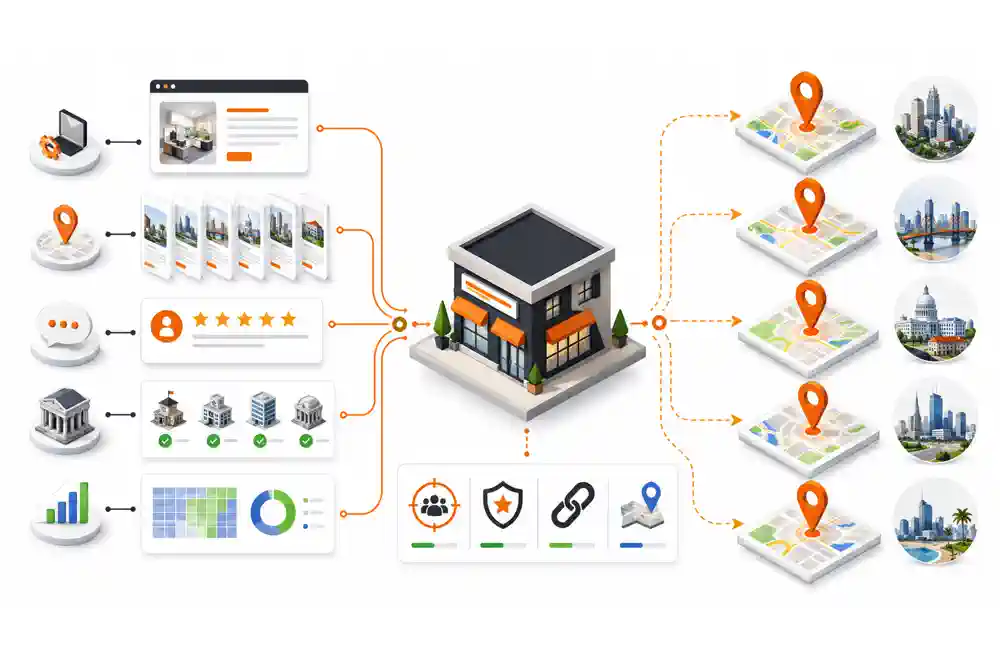
Ranking in multiple cities requires two connected strategies.
Google Maps Strategy
Maps visibility is strongly shaped by distance. Improve the profile’s relevance and prominence, but accept that coverage normally weakens farther from the verified base.
Measure:
- Main service keywords near the business base
- Adjacent neighbourhoods
- Priority cities
- Branded searches
- Service-plus-city searches
- Mobile and desktop results
If the company opens another real operating location with separate staff and eligibility, it may qualify for another profile. Do not create listings at employees’ homes, virtual offices, storage units, or rented desks just to gain map coverage.
Organic Search Strategy
The website has more opportunity to rank for service-plus-city searches outside the strongest Maps radius. Build service pages and useful city pages supported by:
- Original local work
- City-specific customer questions
- Relevant internal links
- Clear service availability
- Local mentions and links
- Helpful photos
- Fast mobile access
- Accurate structured data
This combined approach allows the Maps profile to win where proximity is realistic and the website to reach users across the wider service region.
Local Keyword Strategy for Service-Area Businesses
Do not target only “[service] near me.” Build a keyword map around different types of intent.
Core Service Keywords
- Emergency plumber
- AC repair
- Roof replacement
- House cleaning service
- Mobile car detailing
Service and City Keywords
- Emergency plumber in Lahore
- AC repair in Islamabad
- Roofing contractor in Dallas
- Cleaning company in Manchester
Problem-Based Keywords
- Water heater leaking
- AC not cooling
- Roof leaking after rain
- Same-day drain blockage repair
Urgency and Commercial Keywords
- 24-hour electrician
- Same-day appliance repair
- Affordable pest control
- Emergency towing service
- Get a roofing quote
Brand-Building SEO Keywords
For a marketing provider, relevant commercial phrases may include:
- Service area business SEO services
- Google Maps SEO expert
- Google Business Profile optimization services
- Local SEO services for small business
- Google Maps ranking service
- Local SEO consultant for service businesses
- Local SEO expert in Lahore
Use these terms on the page that matches their intent. An educational blog should explain the problem. A service page should explain the offer, process, proof, and next step. This separation prevents keyword cannibalization.
Technical and On-Page SEO Support
A Google Business Profile does not operate in isolation. The linked website should be easy to crawl, understand, and use.
Check:
- Mobile usability
- HTTPS
- Page speed
- Indexability
- Canonical tags
- XML sitemap
- Broken links
- Clear title tags
- One descriptive H1
- Logical internal links
- Image filenames and alt text
- Accurate contact details
- Visible trust evidence
Add the correct LocalBusiness subtype or Organization structured data when it matches the visible content. Google’s LocalBusiness structured-data guidance explains how structured data can clarify business information. Schema does not create a new location and cannot overcome distance or weak relevance.
If the profile appears normal but has lost positions, use this Google Maps ranking drop guide to diagnose profile edits, competition, reviews, website changes, and local volatility.
Track Rankings With a Geo-Grid
One search from the business owner’s phone is not a reliable ranking report. Results change by searcher location.
A geo-grid checks the same keyword from multiple points across an area. It can show:
- Where the business ranks in the top three
- Where visibility begins to weaken
- Which neighbourhoods competitors control
- Whether improvements spread beyond the business base
- Whether one keyword improved while another fell
Keep the grid, keywords, and scan settings consistent when comparing dates. Track rank visibility alongside business results:
- Calls
- Qualified leads
- Forms
- Bookings
- Website clicks
- Message requests
- Lead locations
- Conversion rate
- Revenue by service and area
A business that gains rankings but receives irrelevant calls has a targeting problem. A business that holds rankings but loses leads may have a conversion, demand, pricing, review, or tracking problem.
Common Service Area Business SEO Mistakes
Avoid these tactics:
- Showing a home address where customers are not served
- Using a virtual office or mailbox
- Creating several profiles for one operating location
- Adding cities to the business name
- Choosing unrelated categories
- Listing areas the team cannot realistically serve
- Publishing copied city pages
- Buying or filtering reviews
- Changing categories repeatedly
- Moving the map pin away from the real base
- Treating posts or geo-tagged photos as guaranteed ranking factors
- Tracking rankings from only one device
- Measuring traffic without calls and qualified leads
- Expecting service-area settings to overcome proximity
If the profile cannot be found by its exact business name, the issue may involve eligibility, verification, duplication, or suspension instead of normal ranking. Follow this guide when a Google Business Profile is not showing.
A Practical 90-Day Service Area SEO Plan
Days 1–15: Eligibility and Baseline
- Confirm the correct profile type.
- Check verification and ownership.
- Hide or show the address according to real operations.
- Audit the business name, categories, service areas, phone, hours, and website.
- Scan the main keywords with a fixed geo-grid.
- Record calls, forms, leads, and current review data.
Days 16–30: Profile Relevance
- Choose the most accurate primary category.
- Add genuine secondary categories.
- Add services and useful descriptions.
- Correct profile links.
- Upload original business photos.
- Create a consistent review request process.
Days 31–60: Website and Local Pages
- Improve the profile-linked page.
- Build or update priority service pages.
- Publish the first high-value city pages.
- Add internal links and accurate schema.
- Fix indexing, mobile, and conversion issues.
- Correct important business listings.
Days 61–90: Authority and Measurement
- Earn relevant local or industry mentions.
- Publish real project evidence.
- Continue asking customers for honest reviews.
- Compare geo-grid visibility with the baseline.
- Review lead quality by city and service.
- Expand only the pages and areas supported by results and capacity.
Local SEO work may take longer than 90 days in competitive industries. The first three months should create a reliable system, not a temporary burst of edits.
When to Hire a Google Maps SEO Expert
Outside help may be useful when:
- Verification repeatedly fails.
- The profile has been suspended.
- Several duplicates exist.
- A rebrand or move is planned.
- Rankings are strong near the base but weak in valuable nearby cities.
- The website has many thin location pages.
- Multiple eligible branches need separate strategies.
- Maps and organic traffic have both declined.
- Reporting shows traffic but few qualified leads.
A useful audit should include profile eligibility, category research, keyword-to-page mapping, geo-grid scans, website analysis, competitor comparison, review patterns, citation accuracy, and an ordered action plan.
No ethical consultant can guarantee a permanent number-one position. Distance, competition, Google’s systems, and user context remain outside full control. A sound campaign improves the signals the business can control and measures whether that work creates qualified leads.
Businesses that need connected profile, content, website, and tracking support can review these SEO services.
Final Thoughts
Knowing how to rank a service area business on Google Maps comes down to making every signal align with the real business. Your Google Business Profile should accurately reflect what your company does, your service areas should match where your team actually works, and your website should demonstrate strong local relevance through helpful, location-focused content. Genuine customer reviews and consistent business citations further strengthen trust and visibility.
Avoid trying to manipulate proximity by adding fake locations or expanding service areas beyond where you truly operate. Instead, build authority around your real business location, create valuable city-specific landing pages, and monitor performance using geo-grid tracking and qualified lead data.
This strategy requires consistency and patience, but it delivers sustainable rankings, stronger local visibility, and higher customer trust. If you need professional help implementing these strategies, work with a local SEO expert near me in Lahore who understands Google’s local ranking factors and can build a long-term SEO strategy that generates real business growth.
Frequently Asked Questions
Can a service area business rank on Google Maps without showing an address?
Yes. Eligible service-area businesses can appear in Google Maps and the Local Pack while keeping their address hidden. Google still requires a real operating location for verification, and distance from that base can influence visibility.
Does adding more service areas improve Google Maps rankings?
Adding service areas helps customers understand where the business works, but it does not automatically improve positions in every selected city. Relevance, distance, prominence, competition, website signals, and genuine business evidence still matter.
How many service areas can I add to Google Business Profile?
Google currently allows up to 20 service areas based on cities, postal codes, or other supported regions. The overall area should generally remain within about two hours of driving time from the business base.
Should a service-area business hide its home address?
Yes, when customers are not served at that address. A home-based plumber, cleaner, electrician, or similar provider should enter the real address for verification and turn off the option that displays it publicly.
Can I create one Google Business Profile for every city I serve?
No. One operating location cannot create profiles for every target city. Additional profiles require separate eligible locations with their own staff and genuine operations. Virtual offices, mailboxes, and fake locations are not valid substitutes.
How do I rank my service business in multiple cities?
Build Maps visibility around the real operating base and support wider organic reach with original service and city pages. Add local work evidence, genuine reviews, accurate citations, internal links, and relevant community or industry mentions.
Do service-area pages help local SEO?
Useful pages can rank for service-plus-city searches and strengthen location relevance. Each page must provide original local value. Pages that only replace one city name with another may be treated as doorway pages.
Do Google reviews help a service-area business rank?
Google states that review count and positive ratings can support local ranking. Reviews also influence trust and conversion. Ask real customers for honest feedback and never offer incentives or require keyword-rich reviews.
Do Google Posts and photos directly improve Maps rankings?
Google recommends photos and updates because they help customers understand the business. Google does not state that posting frequency guarantees higher rankings. Use original media to build trust and support conversion.
How long does service area business SEO take?
Some corrections can improve visibility sooner, but competitive growth often takes several months. Timing depends on proximity, competition, profile history, website quality, reviews, authority, and how much work is required.