A business can spend hours polishing an Instagram ad and still lose the viewer before its message appears. Stories move quickly: the opening frame has to show a relevant idea, the middle has to make it credible, and the next tap must lead somewhere useful. These Instagram Stories ads examples show how to build that sequence for different goals, from local appointments to online purchases.
These are original, illustrative scripts, not live campaigns or measured results. Test them against your audience and landing page.
Strong Instagram Stories ads examples usually have one clear job: show a product, answer a buying question, introduce a service, or invite a booking. Use a vertical image or video, state the point immediately, keep important text clear of Instagram’s interface, and match the CTA to a relevant destination. Judge results by qualified actions, not views alone.
What Is an Instagram Stories Ad?
An Instagram Stories ad is a paid placement shown within the Stories viewing experience. It can use an image, video, or an eligible multi-card format, with an action that can lead to a website, message, form, or other destination supported by the campaign setup. A normal Story reaches an account’s audience through unpaid distribution; a Stories ad is delivered according to the campaign’s audience, budget, objective, and Meta’s ad system.
The screen contains account details and a CTA area. A square Feed image can leave wasted space or hide key words. Start with a 9:16 asset, commonly designed at 1080 × 1920 pixels or higher, then inspect the placement preview. Leave room above and below the core message.
Use hook → evidence or demonstration → action. A still image can also work when the offer and next step are clear.
Eight Instagram Stories Ads Examples You Can Adapt

Each example gives a hook, visual sequence, CTA, and destination.
1. Local Dental Practice: Show the First Visit
- Goal: Help a nearby person understand the appointment process.
- Opening frame: A real reception-area clip with “Your first dental visit, explained.”
- Middle: Show the front desk, consultation room, and a clinician briefly explaining what an initial appointment may involve. Use approved footage and accurate service information.
- CTA: “Request an Appointment.” Send viewers to the relevant new-patient or location page with the office address, phone number, hours, and booking route.
- Why test it: Compare this process-led concept with a physician introduction. Do not imply the viewer has a dental condition or promise an outcome.
2. Pain Clinic: Introduce the Physician and Location
- Goal: Build confidence for a service that takes careful thought.
- Opening frame: “Meet the pain care team in Richardson” over original office footage.
- Middle: Show the physician’s name and verifiable credentials, then a short view of the actual clinic. Mention the types of consultations available only if they are offered there.
- CTA: “View Clinic Details.” Send the ad to the Richardson location page, where the provider, services, contact details, and appointment process agree with the ad.
- Why test it: It answers “Who is there?” and “Where would I go?” without diagnosing the viewer. Compare team-led and location-led versions. Review ad policy, consent, and destination-page data collection.
3. Home Service: Show the Job in Progress
- Goal: Turn local attention into a quote request.
- Opening frame: A technician opening a real work site, with “What happens during a roof inspection?”
- Middle: Show two or three actual inspection steps and the written summary a customer receives. Avoid an exaggerated before-and-after claim.
- CTA: “Request a Quote.” The destination should explain the service area, inspection scope, and contact route.
- Why test it: Compare a technician-led version with one showing the finished report first.
4. Ecommerce Product: Demonstrate One Useful Detail
- Goal: Help a shopper understand a product quickly.
- Opening frame: A close-up of a bag’s compartment being opened, with “Room for a laptop and the daily extras.”
- Middle: Place the items inside, show the fit from another angle, and identify the exact model. If there is a real price or shipping detail, make it easy to verify.
- CTA: “Shop Now.” Link to that product page, not the store homepage.
- Why test it: Compare the demonstration with a still image. Track purchases and product-page activity, not only clicks.
5. B2B Service: Expose a Costly Process Gap
- Goal: Generate inquiries from a defined business audience.
- Opening frame: A short screen recording with “Three clicks from your ad to a confusing booking page.”
- Middle: Show the missing service detail or hard-to-find button, then a clearer page layout. Use a demonstration account or permission-based example; do not expose client analytics.
- CTA: “Request a Website Review.” Send users to a page explaining the review, who it is for, and what happens after submitting.
- Why test it: Compare a problem-first hook with an offer-first hook. A social media marketing plan can connect creativity to campaign goals.
6. Educational Lead Magnet: Give a Useful Preview
- Goal: Earn a qualified sign-up.
- Opening frame: “Five checks before launching a local service ad.”
- Middle: Show two checks in the Story itself, such as confirming the landing page’s location details and testing the contact button. Explain what the full checklist covers.
- CTA: “Get the Checklist.” The landing page should state what the person receives and ask for only the information needed to send it.
- Why test it: Compare sign-ups and qualified inquiries with a direct consultation ad.
7. Real Offer: State the Terms Clearly
- Goal: Give an interested buyer a reason to act now.
- Opening frame: The product or service in use, followed by a genuine offer: “Free setup through Friday.”
- Middle: Explain the eligibility and deadline in legible words. Use a deadline or quantity limit only when it is real.
- CTA: “See Offer Details.” The destination should repeat the same terms and show the next step without surprise conditions.
- Why test it: Compare an offer-led creative with a demonstration and measure purchases or suitable leads.
8. Warm Audience: Answer the Last Objection
- Goal: Help people who already know the business make a decision.
- Opening frame: “What happens after you request a consultation?”
- Middle: Explain the ordinary follow-up: confirmation, expected response window, and what the first conversation covers. Keep the message general and do not imply that the viewer submitted a form or has a sensitive condition.
- CTA: “See How It Works.” Send viewers to the process or booking page.
- Why test it: Compare this answer with a repeat offer. In healthcare, review the audience and tracking before any remarketing involving sensitive information.
Match the Example to the Decision Stage
The most useful Instagram Stories ads examples are selected by the decision a person is making, not by the business category alone.
| Audience Stage | Creative Angle | Suitable Action | Useful Measure |
| New to the brand | Process or product demonstration | Learn more | Relevant page visits |
| Comparing options | Team, details, or proof with permission | View service details | Qualified visits and inquiries |
| Ready to act | Clear offer or booking route | Book, request, or shop | Completed actions |
| Returning visitor | Answer a common objection | See how it works | Qualified actions, subject to privacy limits |
A long-running public ad is not proof of success. The ad library does not reveal conversions, profit, or placement-level results.
Design a Story Ad for the Placement
Use the vertical frame for one idea. Place the key visual and message near the center. Preview the top account and bottom CTA areas; interface elements may cover text.
Build the visual in this order:
- First frame: Name the problem, product, offer, or relevant moment.
- Middle: Show one proof point, demonstration, or useful detail.
- Final moment: Restate the next action and let Meta’s CTA carry the tap.
Make the idea clear without audio while adding sound for those who listen. Use original footage and permission for people or testimonials. Preview Stories, Feed, and Reels separately.For more consistent hooks, captions, and page copy across a campaign, review content writing services.
Set Up the Campaign Around One Outcome
Choose the campaign objective that reflects the business action: awareness, traffic, leads, or sales as appropriate to the current Ads Manager options. A booking campaign should be judged by suitable appointment requests, while an ecommerce campaign should be judged by purchases or other meaningful checkout actions.
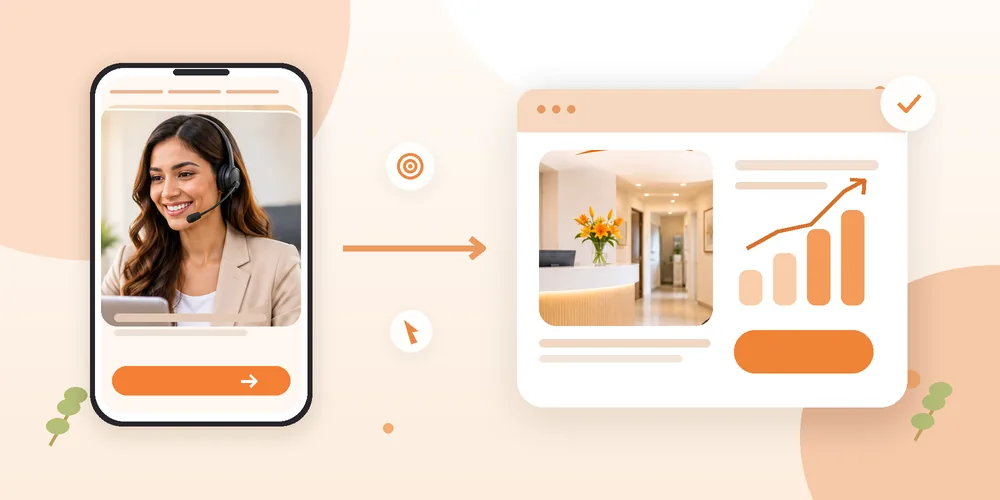
Target a real service area and eligible audience. A Richardson clinic should not imply that a Dallas office offers the same service unless accurate. Check targeting and category restrictions before launch.
Upload the creative, preview Stories, select the CTA, and test the destination on a phone. A visible call button, clear service details, and a working form matter after the tap.
Compare two distinct hooks with the same audience and destination. Changing everything at once makes the result hard to interpret.
Use Local Context Without Forcing Location Keywords
For a real local service, show a genuine connection to the area: the office exterior, the team, the service available there, or a useful neighborhood detail. “Serving Richardson and Plano” belongs in the creative only when the business can serve those communities. Match the same information on the landing page.
A local SEO expert in Pakistan can help a business align its social campaigns with its website and local search presence. The paid ad creates an introduction; the service and location pages let a visitor verify the offer.
Someone who sees an ad may later search for an SEO expert near me and check the public business listing. Accurate services, hours, and contact details make that independent check easier. The listing does not determine whether an Instagram ad performs well, but inconsistent business facts can confuse a potential client.
This local SEO audit checklist covers the website and listing details worth checking when a campaign targets nearby customers.
Test Creatives and Measure Qualified Results
Save each ad variation with its hook, format, audience, destination, and dates. Compare results for the stated objective rather than declaring the creative with the most impressions the best one.
| Goal | Early Signal | Business Result to Review |
| Awareness | Reach and attention to the creative | Relevant brand searches or later inquiries where measurable |
| Traffic | Link clicks and landing-page visits | Useful page engagement |
| Leads | Form starts or message openings | Qualified inquiries and appointments |
| Sales | Product-page activity and checkout starts | Purchases and permitted revenue reporting |
If many viewers watch but few tap, test a clearer offer or CTA. If many tap but few act, inspect mobile page speed, message match, form length, and the next step. If leads arrive but do not qualify, revisit the creative promise and audience. Attribution can be incomplete, so compare multiple signals and keep your conclusions proportionate to the data.
For healthcare businesses, review the information collected by forms, analytics, pixels, and messaging before sending event data to ad platforms. Avoid sensitive details in campaign names, URLs, event parameters, and lead forms. This guide to healthcare website forms explains why the form and its connected tools need a careful review.
Make the Blog Useful for Search and AI Answers
People searching for Instagram Stories ads examples want more than a gallery. They need a quick explanation of the format, copy they can adapt, the action behind each ad, and a way to judge the result. Descriptive headings, original scripts, direct answers, and a clear distinction between illustrative ideas and measured campaigns make this guide easier to use.
A website article can be eligible to appear in traditional and AI-assisted search when it is accessible, indexable, and useful. No special “GEO schema” guarantees a place in Google AI Overviews. Keep the examples current as platform options change and connect this paid-social topic to related guides such as organic Instagram follower growth.
Common Story Ad Mistakes
Putting the Whole Pitch on One Screen
A Story is difficult to scan when every feature, price, testimonial, and disclaimer competes for attention. Give the first frame one job and move necessary detail to the landing page.
Reusing a Feed Design Without Checking the Crop
An image built for a square feed placement may leave dead space or put the headline beneath interface elements. Design and preview a vertical version.
Sending Every Ad to the Homepage
A viewer who taps on a specific service, product, or offer should reach the matching page. Make the next action obvious on mobile.
Treating Clicks as Customers
Cheap clicks can still produce unqualified leads. Review what happens after the click, including booking, purchase, and lead quality.
Making Unverifiable or Sensitive Claims
Do not invent testimonials, imply a viewer has a medical condition, or promise guaranteed results. Review the ad and destination together before launch.
Frequently Asked Questions
What Are Good Instagram Stories Ads Examples for Small Businesses?
Start with a short product demonstration, a genuine team or location introduction, a clear service process, or a real limited offer. Each should lead to a relevant page or contact action. Test the idea with your audience instead of copying another brand’s wording.
What Size Should an Instagram Stories Ad Be?
Use a vertical 9:16 creative; 1080 × 1920 pixels is a common working size. Check the current placement requirements and preview because available specifications and interface overlays can change.
Should I Use a Video or Image Story Ad?
Use video when movement demonstrates the product or process. Use an image when a single visual and short message explain the offer. Test both against the same goal rather than assuming video always wins.
How Long Should a Story Ad Video Be?
Make it as short as the message allows. State the point immediately and check how Ads Manager previews longer video in Stories. A concise cut and a longer explanation can be separate tests.
Can a Clinic Run Instagram Stories Ads?
Yes, subject to Meta’s current advertising standards and the clinic’s applicable privacy requirements. Keep claims accurate, avoid implying the viewer has a condition, use approved images, and review the destination’s forms and tracking.
Do Story Ads Help a Website Rank in Google?
Buying Story ads does not directly buy organic rankings. Ads can bring relevant people to a useful website, while search visibility depends on the site’s own content, accessibility, and other search factors.
Final Takeaway
The best Instagram Stories ads examples connect one clear idea to one clear next step. Start with a vertical concept that speaks to a real decision, show evidence or a useful detail, and send the viewer to the matching page. Test the hook and destination, then keep the versions that produce qualified business actions.