A local business can look healthy in a normal Google search and still be invisible to customers only a few streets away. One wrong category, an unverified edit, a weak location page or inconsistent contact detail can quietly reduce calls without producing an obvious warning. This local SEO audit checklist helps you test the full search journey from Google Maps visibility to the moment a visitor calls, requests directions or submits a form so you can fix the real leak instead of making random changes.
How Do You Audit Local SEO?
To perform a local SEO audit, first record your current Maps rankings and leads. Then review Google Business Profile eligibility, accuracy, categories, services, reviews and duplicates. Check local pages, NAP consistency, citations, schema, mobile experience, indexation, backlinks and conversion tracking. Score every item, fix critical problems first and compare results from the same locations after 30 days.
Google explains that local results are mainly determined by relevance, distance and prominence. You cannot optimize away the searcher’s physical distance, but you can improve how accurately Google understands the business and how strongly the web supports its identity. See Google’s tips for improving local ranking and its Business Profile representation guidelines.
Who Should Use This Local SEO Audit Checklist?
Use this guide if you manage a clinic, office, store, restaurant, agency, contractor, home-service company or any business that meets customers in person. It also works for a service-area business that visits customers and hides its address.
Run an audit when:
- Local Calls Or Direction Requests Decline;
- A Competitor Begins Appearing Above You;
- Your Google Maps Ranking Changes Across Neighborhoods;
- You Move, Rebrand, Change A Phone Number Or Add A Location;
- The Website Gets Impressions But Few Local Inquiries;
- Multiple People Or Agencies Have Edited The Profile;
- You Want A Reliable Baseline Before Starting Local SEO.
If you need a beginner-level explanation before using the worksheet, read what local SEO means for a small business.
Score The Audit Before Changing Anything
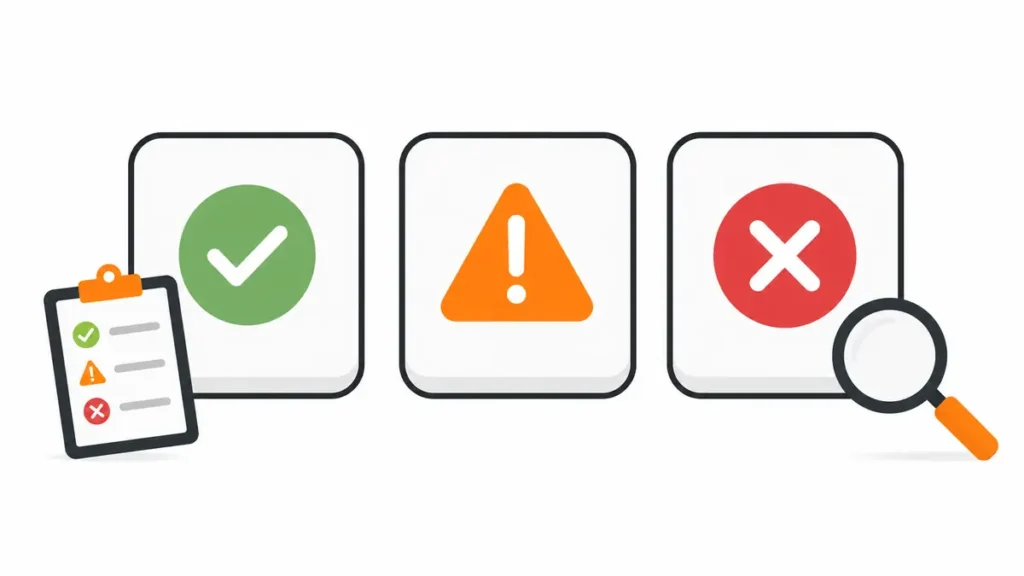
Give each of the 25 checks one status:
| Status | Score | Meaning |
| Critical | 0 | Eligibility, visibility, trust or lead tracking is broken |
| Needs Work | 1 | The item exists but is inaccurate, weak or incomplete |
| Pass | 2 | The item is accurate, useful, policy-safe and supported by evidence |
The maximum score is 50.
| Total score | Interpretation |
| 0–20 | Major local visibility risks; resolve critical items first |
| 21–35 | The base exists, but several gaps can suppress rankings or leads |
| 36–44 | Strong setup; focus on competitor gaps and weak locations |
| 45–50 | Mature setup; keep testing, measuring and maintaining it |
Do not treat the score as a Google ranking formula. It is a decision tool. A single eligibility violation can be more serious than five small on-page gaps.
Before you begin, create a sheet with these columns: check, evidence, status, impact, owner, due date and result. Save screenshots and export data where possible. That record lets you separate real improvement from day-to-day ranking movement.
Step 1: Confirm Business Profile Eligibility
What to check: Confirm that the business has real face-to-face contact with customers, either at a staffed location or at customer locations. Check whether the displayed address, business model and public hours describe the real operation.
An online-only business is not eligible simply because it has a website or receives mail somewhere. A service-area business can use a profile if it visits customers, but it should hide an address where customers are not received. Google says P.O. boxes and remote mailboxes are not acceptable, while most virtual offices are ineligible unless the business genuinely operates there under the stated requirements.
Pass evidence: real signage and customer access for a storefront, or a legitimate operating base and field-service proof for a service-area business.
Fix: correct the business type and address display before editing keywords, categories or photos. Never create a profile at an address used only to reach another city.
Step 2: Check Verification, Ownership And Manager Access
What to check: Open the profile from the account that should own it. Confirm that it is verified, the correct owner controls it and former employees or agencies no longer have unnecessary access.
Unclear ownership can delay urgent edits and recovery. Too many managers also increase the chance of accidental changes. Verification does not guarantee a high ranking, but an unverified or disabled profile cannot be managed normally.
Pass evidence: verified status, a known primary owner, current managers and a recovery email controlled by the business.
Fix: request ownership through the official profile flow, remove old access after control is secure and keep an internal access record. Do not create another profile just because ownership is difficult to recover.
Step 3: Find Duplicates, Merged Profiles And Unintended Listings
What to check: Search Google Maps for the business name, old phone numbers, address, practitioner names and common name variations. Search from a signed-out browser as well.
Duplicates can split reviews, confuse customers or cause the wrong profile to appear. They can also exist after a move, rebrand or agency handover. A department or practitioner may qualify for a separate listing, but only when it meets Google’s rules.
Pass evidence: one eligible profile per real business or location, with any valid department and practitioner profiles clearly separated.
Fix: document both URLs and their review counts before asking for a merge or removal. Do not mark an active competitor or your own valid location as closed. Preserve the strongest legitimate profile and follow the correct support route.
Step 4: Audit The Real-World Business Name
What to check: Compare the profile name with permanent signage, the website header, invoices, stationery and legal or registration records.
Extra city names, services, phone numbers and sales phrases may create a short-lived relevance gain, but they violate Google’s naming rules when they are not part of the real-world brand. This can lead to edits, re-verification or suspension.
Pass evidence: the same recognizable brand name appears on the profile and customer-facing business materials.
Fix: remove added keywords that are not part of the genuine name. Put service and location information in categories, services, the description and website copy instead.
Step 5: Verify Address, Map Pin And Service Areas
What to check: Test the map pin, street address, unit number and public address setting. For a service-area business, check whether the address is hidden and whether listed cities match the area the team can actually serve.
A pin at the wrong building can produce bad directions and weak customer signals. An oversized service area does not make a business rank across every listed city. Distance still depends heavily on the searcher’s location and the business base.
Google’s guidelines say the total service area generally should not extend farther than about two hours of driving time from the base, though some business models can justify more.
Pass evidence: accurate map pin and address for a storefront, or a hidden address with realistic named service areas for a field-service business.
Fix: correct factual errors once, then allow the update to settle. Avoid repeated address changes made only to test rankings.
Step 6: Review Primary And Secondary Categories
What to check: Record the current primary category and every secondary category. Compare them with the services that generate revenue and with legitimate local competitors shown for your main queries.
The primary category should describe what the business is, not every service it has. Too few categories can limit relevance; unrelated categories can make the profile inaccurate.
Pass evidence: one specific primary category aligned with the core service, plus only the secondary categories needed to represent other real parts of the business.
Fix: choose the category that best matches the primary customer intent. Research competitors for ideas, but do not copy a category for a service you do not provide. Record the change date so you can measure its effect.
Step 7: Check Services, Products And Business Description
What to check: Compare the profile’s services or products with the actual offer and the corresponding website pages. Read the description as a customer: does it explain who the business helps, what it provides and where it operates?
Missing services weaken the profile’s usefulness. Repeated city and keyword phrases make the text difficult to trust. The description should contain factual customer information; Google does not allow links in that field.
Pass evidence: accurate service names, clear descriptions, current prices where appropriate and a readable business summary.
Fix: add only real services and group them logically. Use normal language and meaningful variations where they fit. If a valuable service has no useful website page, add that gap to the content plan rather than forcing a paragraph into the profile.
Step 8: Check Hours, Special Hours, Attributes And Contact Actions
What to check: Call the listed phone, open the website link, test appointment or menu links, and compare regular hours with actual customer-facing hours. Review holiday hours, accessibility information and relevant attributes.
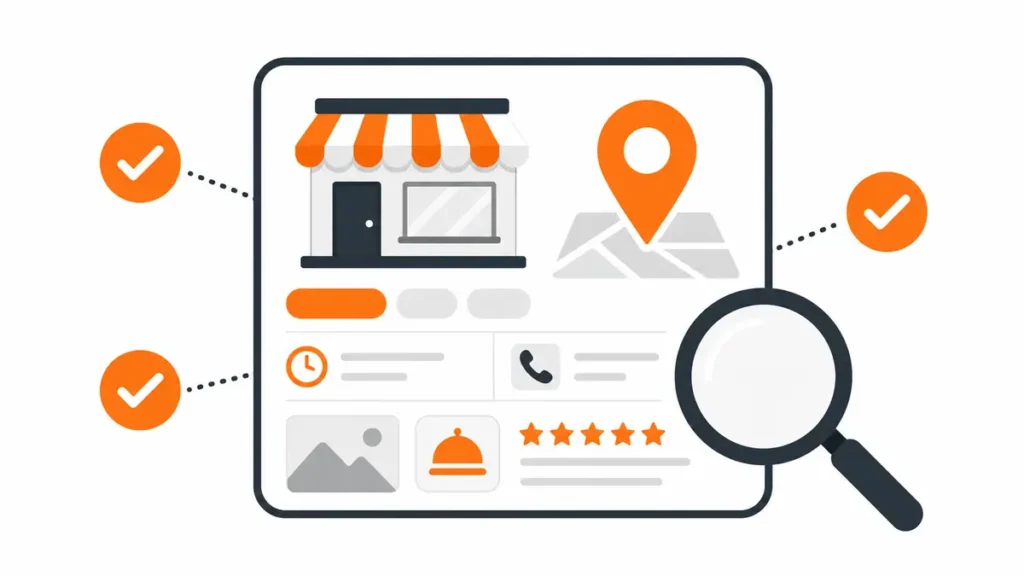
Incorrect hours create poor visits and lost calls. Broken or redirected URLs waste high-intent traffic. The phone number should connect to the actual business and remain under its control.
Pass evidence: working local phone, correct destination pages, accurate regular and special hours, and truthful attributes.
Fix: update factual details across the profile and website. Add special hours before public holidays. If call tracking is used, keep the main business number as an additional number and make sure tracking does not break NAP consistency.
Step 9: Review Photos, Videos And Profile Updates
What to check: Look at the cover image, logo, storefront, team, work examples, products and customer-uploaded media. Check whether recent images represent the current business.
Photos help customers verify that a place or service is real. Old branding, stock-looking visuals and irrelevant customer photos can weaken confidence even if rankings remain stable.
Pass evidence: clear current media showing the location, team, process or completed work, with no misleading imagery.
Fix: upload original, well-lit photos on a steady schedule that matches real business activity. Report media only when it violates policy. File-name or GPS tricks are not a substitute for genuine relevance, accurate profile data and good customer experience.
Step 10: Audit Review Quality, Recency And Responses
What to check: Compare rating, total reviews, recent review frequency, review detail and owner responses with the businesses that rank for the same service. Read negative reviews for repeated operational issues.

Do not judge review health by star rating alone. A 4.9 rating does not automatically outrank a closer or more relevant business. Real customer language can also help future customers understand which services were provided.
Pass evidence: a steady stream of genuine reviews from real customers, balanced service coverage and calm, useful responses.
Fix: ask all eligible customers at a natural point after service. Use a direct review link or QR code. Never buy reviews, offer rewards, use staff accounts or screen out unhappy customers. Google allows verified businesses to reply and provides guidance for managing customer reviews.
Step 11: Establish A Clean Ranking Baseline
What to check: Record rankings for the brand name, primary service, service-plus-city query and several profitable long-tail searches. Check both the local pack and normal organic results.
One manual search is not a baseline. Results change with location, device, history and time. Personalized searches can make owners think they rank everywhere.
Pass evidence: dated records for a fixed keyword set, device, search area and tracking method, alongside calls and leads.
Fix: use a neutral rank tracker or repeatable signed-out tests. Separate branded queries from non-branded searches. Record the local pack position, organic position, landing page and visible competitors.
Step 12: Run A Geo-Grid Google Maps Ranking Audit
What to check: Scan the same keyword from multiple points around the real service area. Compare visibility close to the location, at neighborhood boundaries and in commercially important areas.
Local rankings are geographic. A business may rank first near its address and disappear three kilometers away. A geo-grid exposes this pattern, while a single rank number hides it.
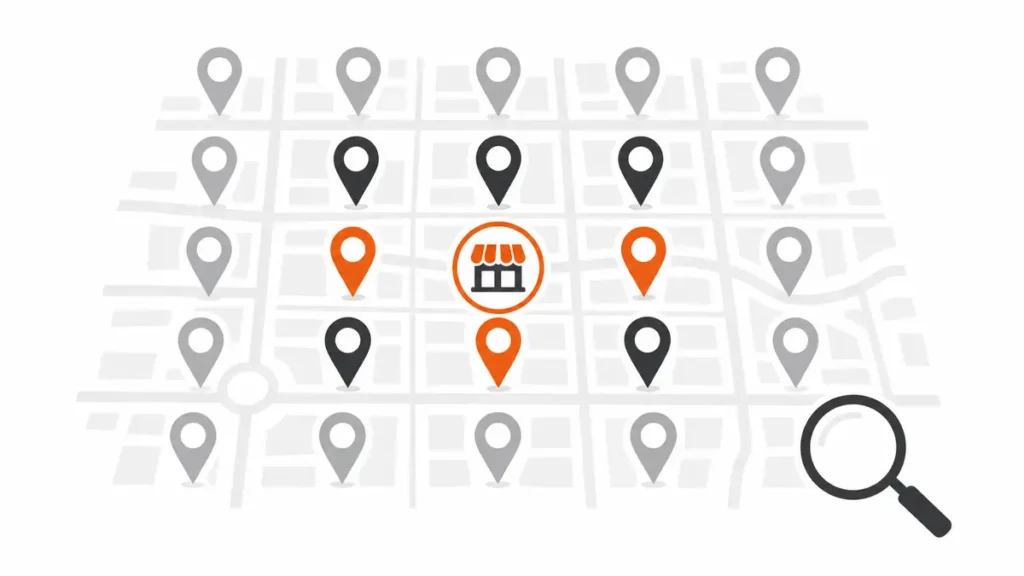
Pass evidence: a dated map grid for each core service, with consistent grid size and spacing for future comparison.
Fix: prioritize weak zones that are realistically serviceable. Improve the relevant service page, local proof, reviews and authority rather than creating thin pages for every grid point. Do not promise citywide coverage when distance makes that unrealistic.
Step 13: Map Local Keywords To Search Intent
What to check: Group keywords by service, location, urgency, problem and decision stage. Identify which page and Business Profile field should answer each group.
Examples include “emergency plumber Gulberg,” “dentist near me,” “local SEO audit Lahore,” “open now,” “price” and “best.” These searches may need different answers even when they relate to one service.
Pass evidence: one primary intent per important page, supported by natural related terms and customer questions.
Fix: build a keyword-to-page map. Keep the Business Profile name clean. Use primary terms in the title, H1 and opening where natural, then cover entities, comparisons, proof, process, price factors and FAQs without repeating the same phrase.
Step 14: Compare The True Local Competitors
What to check: List businesses that appear in the local pack across the geo-grid, not only companies you consider offline competitors. Compare categories, reviews, page quality, location, citations, links and conversion experience.
The shop across the road may not be the search competitor. Google can show directories, larger brands or a business farther away when it appears more relevant or prominent.
Pass evidence: a three-to-five competitor benchmark for each core query and target area.
Fix: turn the differences into legitimate actions. If a competitor has more useful service evidence, improve yours. If a name appears spammy, document it and use Google’s official reporting options; do not edit rivals or organize negative reviews.
Step 15: Check Nap And Identity On The Website
What to check: Compare the business name, address and phone number on the contact page, footer, location pages and structured data with the Google Business Profile. Also check the logo, opening hours and map embed.
Minor formatting variations are usually less serious than conflicting facts. Old phone numbers, previous addresses and different brand names create real confusion for customers and search systems.
Pass evidence: one current business identity everywhere users are likely to verify it.
Fix: select a canonical version of the name, address and phone. Update key website locations first. If the business moved, explain the new location where helpful and update old high-authority listings rather than creating another brand identity.
Step 16: Audit Service And Location Page Quality
What to check: Confirm that every important location or service page has a real purpose, unique evidence and enough information for a customer to decide. Test whether the page matches the link used in the Business Profile.
Changing only a city name across dozens of pages creates little value. A strong location page may include services available there, areas served, local proof, team details, directions, photos, FAQs, response times and a direct contact action.
Pass evidence: useful, indexable pages that accurately represent real locations or service coverage.
Fix: merge or rewrite thin pages. Do not create fake office pages for cities where the business has no staffed location. For service areas, explain genuine coverage and customer evidence without presenting each city as a storefront.
Step 17: Find Local Keyword Cannibalization
What to check: Search the site and Search Console for multiple URLs receiving impressions for the same local query. Compare blog posts, service pages, city pages and the home page.
Cannibalization becomes a problem when Google repeatedly switches between pages or when several weak pages split links and relevance. Two pages mentioning “local SEO Lahore” are not automatically a problem if their intent differs.
Pass evidence: a clear preferred page for each commercial query and a separate supporting page for each informational intent.
Fix: consolidate overlapping pages, strengthen internal links to the preferred URL, correct canonicals and differentiate titles and copy. For example, this checklist should target audit intent, while the SEO service page should target hiring intent.
Step 18: Audit Titles, Headings, Copy And Internal Links
What to check: Review the title tag, H1, opening answer, subheadings, image alt text and internal links on priority local pages. Check whether the page answers the query before discussing the company.
Local terms should clarify relevance, not fill every sentence. A useful page naturally covers the service, location, customer problem, process, proof, limitations and next step.
Pass evidence: unique title and H1, clear opening answer, readable sections, descriptive internal anchors and no forced repetition.
Fix: improve one page around one main intent. Link supporting guides to the commercial page and link the commercial page back to relevant help content. Use anchors that describe the destination instead of “click here.”
Step 19: Check Crawling, Indexation and Canonical Signals
What to check: Inspect priority URLs in Google Search Console. Review robots.txt, XML sitemaps, noindex, redirects, canonical tags, duplicate parameters, broken links and soft 404s.
A well-written local page cannot rank if Google cannot crawl or index the preferred version. Incorrect canonicals may send the page’s signals elsewhere.
Pass evidence: the preferred URL is indexable, included in the sitemap, internally linked and recognized by Google as canonical.
Fix: remove unintended blocks, redirect retired URLs to the closest relevant page, fix internal links and submit the clean sitemap. Request re-indexing for major corrections, then wait for recrawling instead of submitting the same URL every day.
Step 20: Test Mobile Experience, Speed and Core Web Vitals
What to check: Open key pages on a real phone over mobile data. Test the call button, form, menu, map and booking flow. Review PageSpeed Insights and Search Console’s Core Web Vitals report.

Google’s current Core Web Vitals targets are LCP within 2.5 seconds, INP below 200 milliseconds and CLS below 0.1. These metrics are useful, but Google also says there is no single page-experience signal and perfect scores do not guarantee top rankings.
Pass evidence: fast useful content, stable layout, readable text and contact actions that work without zooming or repeated taps.
Fix: compress oversized media, reduce blocking scripts, reserve image space, simplify forms and remove intrusive pop-ups. Prioritize the pages that receive local impressions and leads. See Google’s Core Web Vitals guidance.
Step 21: Validate Local Structured Data
What to check: Inspect JSON-LD for the most specific valid LocalBusiness subtype, Organization, BreadcrumbList and any relevant Service data. Compare name, URL, telephone, address and hours with visible page content.
Structured data helps search systems interpret business details; it does not replace the Google Business Profile or guarantee a rich result. Do not mark up reviews copied from third-party platforms as if the business collected them on the page.
Pass evidence: valid markup that matches visible content and uses stable entity IDs consistently.
Fix: correct inaccurate or duplicated schema and test with Google’s Rich Results Test. Use Google’s LocalBusiness structured data documentation as the implementation reference.
Step 22: Audit Citations and Nap Consistency
What to check: Search the business name, address and phone in quotes. Review major search platforms, industry directories, trusted local directories, social profiles and data sources relevant to the country.
Citation quantity alone is not the goal. An accurate listing on a platform customers or search systems trust is more useful than hundreds of low-quality directory submissions.
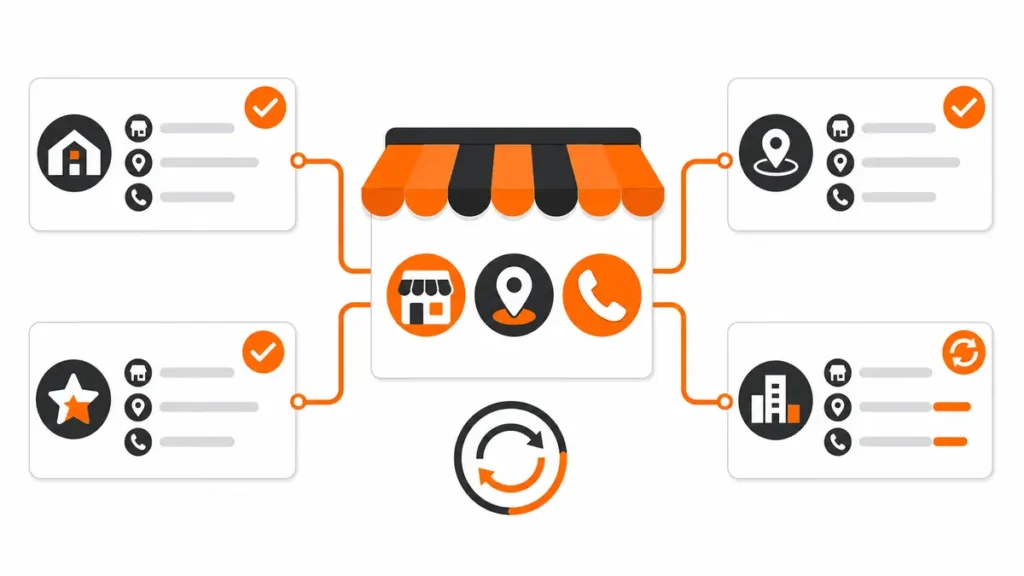
Pass evidence: correct core listings, no harmful duplicates and consistent links to the preferred website or location page.
Fix: update high-value incorrect listings first, claim important profiles and close duplicates carefully. Keep a citation log with login ownership, status and last review date. Avoid bulk submissions to unrelated sites.
Step 23: Review Local Links, Mentions And Entity Consistency
What to check: Review links and unlinked mentions from chambers, associations, local news, suppliers, partners, events, schools, charities and relevant industry sites. Search for brand-name variations and outdated descriptions.
Prominence is supported by information Google can find across the web, including links and reviews. For AI answer systems, consistent statements about who the business is, what it does and where it operates also make the entity easier to understand.
Pass evidence: genuine locally or topically relevant mentions, a consistent brand description and clear author or business credentials.
Fix: earn mentions through real relationships, useful local resources, case studies, community work and expert contributions. Update the About page with verifiable experience. Do not buy random link packages or invent awards.
Step 24: Audit Answer Quality For Voice and Ai Search
What to check: Review whether important pages answer direct local questions in clear language. Test questions about cost, timing, service area, eligibility, emergencies, process and comparisons.
Voice searches and AI-generated answers often favor passages that can stand on their own. That does not mean writing robotic one-sentence pages. It means putting a precise answer near the relevant heading, then supporting it with context, evidence and limitations.
Pass evidence: concise answer blocks, descriptive headings, real expertise, current facts, named locations where relevant and internal links to deeper help.
Fix: add original FAQs based on calls, forms and client conversations. State who wrote or reviewed the page and when. Keep important business facts consistent across the site. Do not add claims that cannot be proved or mass-produce near-identical city answers.
Step 25: Connect Rankings To Leads and Build The Action Plan
What to check: Confirm that Google Analytics 4, Search Console and Business Profile performance data are available. Test call clicks, forms, bookings, WhatsApp actions and direction requests. Use a clean tracking method for the website link on the profile where appropriate.
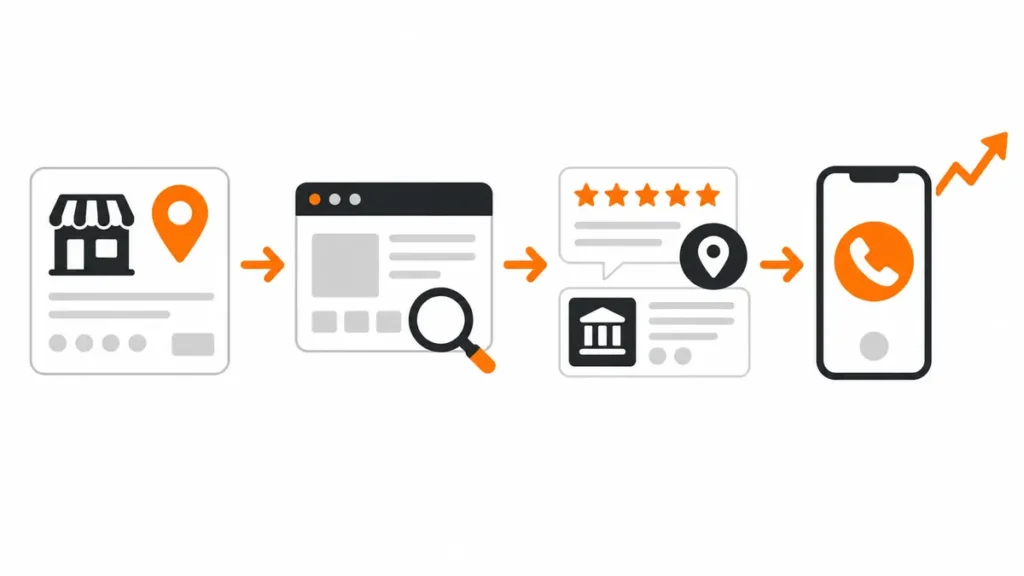
Rankings are diagnostic data, not the final business outcome. A page can rise while calls decline because the query is weak, the contact flow is broken or traffic comes from outside the service area.
Pass evidence: a monthly report connecting queries and landing pages with qualified local actions.
Fix: place every failed check into a backlog. Prioritize by:
Priority = likely customer impact × confidence in the diagnosis ÷ effort
Resolve policy and eligibility problems first, then broken conversion paths, relevance gaps, technical barriers and authority work. Assign an owner and a review date to every action.
Your 30-Day Local SEO Audit Action Plan
| Time | Main actions | Expected output |
| Days 1–3 | Record rankings, geo-grid, profile data, calls and leads | Reliable baseline |
| Days 4–7 | Resolve eligibility, ownership, duplicate, name, address and category risks | Stable and policy-safe profile |
| Days 8–14 | Fix website NAP, indexation, page intent, titles, mobile contact flow and schema | Clear local relevance and working pages |
| Days 15–21 | Correct priority citations, review process and high-value profile fields | Stronger identity and customer trust |
| Days 22–27 | Improve weak service content, local proof, FAQs, links and mentions | Better usefulness and prominence |
| Days 28–30 | Repeat tests from the same locations and compare leads | First measured result and next backlog |
Major changes may need longer than 30 days to be crawled, evaluated and reflected in local results. Do not reverse a valid fix because a rank tracker moves for two days.
Free And Paid Tools For A Local SEO Audit
You can complete much of the audit with:
- Google Search and Google Maps;
- Google Business Profile;
- Google Search Console;
- Google Analytics 4;
- PageSpeed Insights;
- Rich Results Test;
- a spreadsheet for evidence and scoring.
Paid local rank trackers, citation platforms and crawling tools can reduce collection time, especially for multiple locations. They do not decide what should be fixed. Use a tool only when it answers a defined question. The site’s guide to SEO tools for small businesses can help you compare options.
Local SEO Audit Mistakes That Waste Time
Checking Rankings Only From Your Office
This hides geographic weakness and gives a distorted view of customer visibility. Use consistent geo-grid points.
Editing Several Profile Fields At Once
You lose the ability to connect an outcome to a change and may trigger unnecessary review. Fix factual and policy risks immediately; stage lower-risk optimization.
Copying A Competitor’s Profile
Their category, service mix and location may not match yours. Use competitors to identify gaps, then verify every change against the real business.
Treating Every Directory As Valuable
Irrelevant listings create maintenance work and can spread errors. Prioritize platforms that matter to the location, industry or customers.
Building Location Pages Without Local Value
Changing a city name is not local expertise. Give users location-specific proof, availability, directions, policies and answers.
Reporting Rank Gains Without Lead Quality
A higher position for an informational or distant query may not bring revenue. Track calls, forms, bookings and qualified conversations.
When Should You Hire A Local SEO Expert?
A business owner can run this checklist with access to the profile, website and analytics. Professional help is useful when:
- a profile is suspended, duplicated or repeatedly asks for verification;
- several locations have mixed ownership and inconsistent data;
- the website has indexation, migration or schema problems;
- rankings differ sharply across a city and the cause is unclear;
- reports show traffic but no traceable local leads;
- the team needs someone to prioritize and implement the fixes.
Waseem Marketing Expert provides SEO services for profile, website, content, technical and local visibility problems. You can also review what to look for when selecting a local SEO expert in Pakistan.
If you are comparing a local SEO expert near me in Lahore, ask for a baseline audit, evidence for each finding and a plan tied to calls or qualified leads not a promise of a guaranteed number-one position.
Frequently Asked Questions
What Is A Local SEO Audit?
A local SEO audit is a structured review of the signals and customer paths that affect visibility in Google Maps and location-based organic search. It checks the Business Profile, rankings, reviews, website, citations, links, technical health and lead measurement.
How Long Does A Local SEO Audit Take?
A single-location business can complete a basic audit in two to four hours. A deeper audit with geo-grid tracking, citation cleanup, competitor research and technical website checks may take one or more working days. Multi-location businesses need more time because every location must be tested separately.
How Often Should I Perform A Local SEO Audit?
Run a full audit every quarter and a lighter monthly check for profile accuracy, reviews, rankings and leads. Audit immediately after a move, rebrand, website migration, unexplained ranking loss or major profile change.
What Is The Most Important Local SEO Audit Check?
Eligibility and accurate business information come first because an ineligible or misleading profile puts the entire listing at risk. After that, priorities depend on evidence: wrong categories, weak pages, review gaps, indexation problems and broken calls can each become the main constraint.
Can I Run A Local SEO Audit For Free?
Yes. Google Maps, Business Profile, Search Console, Analytics, PageSpeed Insights and Rich Results Test cover many important checks. Paid platforms are helpful for geo-grid scans, citation monitoring, crawls and multi-location reporting.
Does Nap Need To Have Identical Formatting Everywhere?
The core facts must be consistent: the same business name, real address and working phone number. Small formatting differences such as “Street” and “St.” are usually less important than conflicting numbers, old addresses or mixed brand names.
Do Reviews Improve Google Maps Rankings?
Reviews can support prominence and customer trust, but rating alone does not determine position. Relevance and distance still matter. Focus on genuine, recent feedback and helpful responses rather than a target number of reviews.
Does Adding More Service Areas Increase Ranking?
No. Adding cities to a profile does not make a business rank in all of them. Service areas tell customers where the business operates; Google still considers distance and other local signals.
Do I Need Backlinks For Local SEO?
Relevant links and mentions can support prominence, but random backlinks are not a safe shortcut. A policy-safe profile, useful local pages, accurate citations, real reviews and working technical foundations should be addressed first.
Can Schema Markup Rank A Local Business Higher?
Schema can help search systems understand business data and can support eligible search features. It is not a direct guarantee of a higher position. The markup must match visible, accurate page content.
Why Do Local Rankings Change By Neighborhood?
Google considers the distance between the searcher and potential results. Competitor density and query relevance also change across a city. A geo-grid audit shows this local variation more accurately than one search from one device.
Can A Local SEO Audit Guarantee First Position?
No ethical consultant can guarantee first position. Google controls the results, distance varies by searcher and competitors keep changing. A strong audit reduces preventable problems and gives the business a measurable plan for improving relevance, prominence and lead conversion.
Final Audit Rule – Fix Evidence, Not Anxiety
Local rankings move. The purpose of an audit is not to react to every movement; it is to identify a clear business or search problem, prove it with reliable evidence and apply the smallest valid fix. Complete all 25 checks, keep the original baseline and review qualified leads after the changes have had time to settle.
If you want the findings reviewed and prioritized for your business, contact Waseem Marketing Expert with your website, Google Business Profile and target service areas.