An unfamiliar menu, booking, ordering or reservation link can appear on a Google Business Profile even when the business owner did not add it directly. The link may send customers to an old vendor, an inactive menu, the wrong location or a page controlled by another platform. This creates confusion at the exact moment someone is ready to order, book or contact the business.
To remove third party links from Google Business Profile, open the verified profile in Google Search or Maps, choose the relevant transaction type and use the available provider-removal control. If the provider does not process the request within five days, collect evidence and report the issue through Google Business Profile support. Food-ordering links need extra care because switching off orders can hide both third-party and business-owned ordering options.
This guide explains how these links appear, how to identify their source and how to remove SinglePlatform Tripadvisor, booking, menu and ordering links without disrupting useful customer actions.
What Are Third Party Google Business Profile Links
Third-party links are URLs supplied by a platform other than the business itself. They can appear on a profile in Google Search or Google Maps and allow customers to complete an action on the provider’s website.
Common link types include:
| Link type | Customer action | Common problem |
| Booking | Schedule an appointment or service | Link points to a former booking provider |
| Reservation | Reserve a table or time | Wrong branch or outdated availability |
| Food ordering | Order pickup or delivery | Higher-cost marketplace replaces the direct ordering route |
| Menu | View restaurant items and prices | Old prices, missing items or an obsolete menu |
| Shopping | Place an order | Incorrect product page or old commerce provider |
| Service list | Review available services | Services no longer match the business |
Google may display links added by the business, links supplied by approved providers or links created from automated data. This is why a profile can show a provider that is not visible in the main website field.
Business owners working on wider map visibility can also review this guide to local SEO for small businesses. It explains how profile accuracy, local relevance, reviews and website information work together.
Why Unwanted Provider Links Appear
An unwanted link does not always mean the profile has been hacked. It can result from a current or former data relationship.
Typical causes include:
- A previous owner connected an ordering or booking platform.
- A staff member activated a provider integration and later stopped using it.
- A restaurant menu was distributed through SinglePlatform or another syndication service.
- A provider submitted information through its Google partnership.
- Automated systems associated a provider page with the business.
- Two locations have similar names, addresses or phone numbers.
- A franchise, corporate office or agency controls the integration.
- An old website or directory still contains the outdated provider URL.
- The business changed its name, domain or booking system without closing the old connection.
The source matters because the solution for a booking provider is not always the same as the solution for a menu or food-ordering link.
Identify the Link Before Trying to Remove It
Start with an evidence check. Removing the wrong link can interrupt genuine bookings or orders.
Check the public profile
Search for the exact business name and city while signed out or in a private browser window. Check the profile in both Google Search and Google Maps because the interface and displayed buttons may differ.
Record:
- The text shown on the button
- The provider or destination domain
- The final URL after any redirect
- The business location displayed on the destination page
- Whether the link appears on desktop, mobile or both
- The date and time of the check
Test the destination carefully
Open the link and confirm whether it represents the correct business, service and location. Do not submit a test booking or order unless the business has approved that action. A destination may look correct at first but send the final conversion to a different branch.
Confirm who manages the provider
Ask the owner, location manager, marketing team and relevant front-desk staff whether the provider is active. For multi-location companies, check whether a corporate agreement controls it before requesting removal.
Save evidence
Take screenshots of the public profile, provider name and incorrect destination. Save the URL in plain text. Evidence becomes useful when the link returns or the first removal request is not completed.
How to Remove a Third Party Booking Link
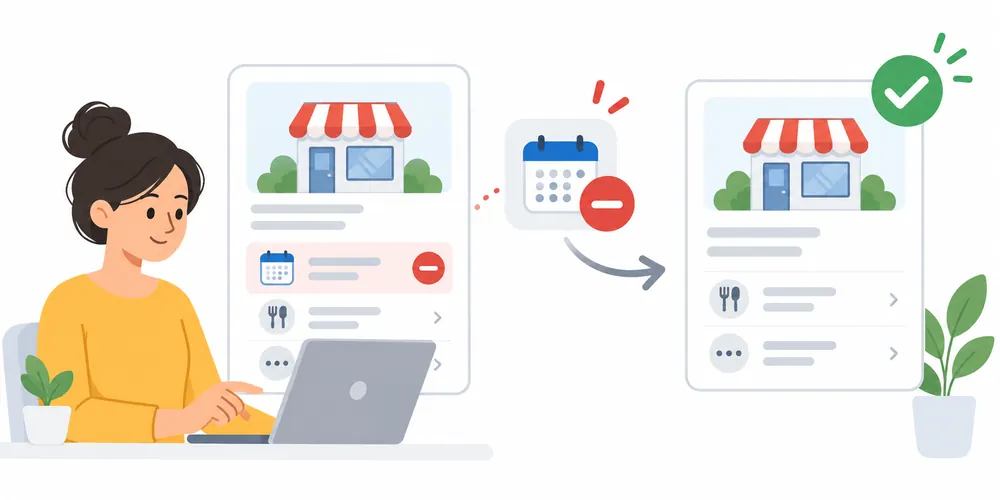
Google provides a direct removal route for eligible booking providers.
Through Google Search
- Sign in to the Google Account that manages the Business Profile.
- Search for the business name or open the profile management interface.
- Select Booking.
- Find the unwanted provider.
- Select Remove Provider.
- Confirm the request.
- Check the public profile again after the change has had time to process.
Through Google Maps
- Open Google Maps while signed in to the managing account.
- Open the Business Profile.
- Select Edit profile.
- Open Booking.
- Choose the unwanted provider.
- Select Remove Provider and confirm.
Google states that providers should process a removal request within five days. If the unwanted booking link remains after that period, save a new screenshot and report the provider issue through the profile support route.
Menu labels can vary by category, country, device and feature eligibility. If Booking or Remove Provider is not visible, confirm that the correct owner account and location are open before escalating the issue.
How to Manage Food Ordering and Delivery Links
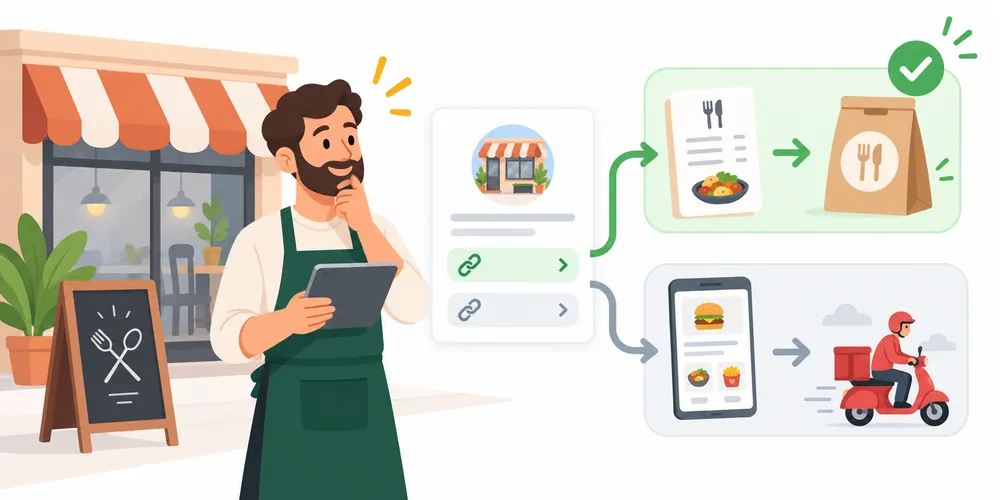
Food-ordering links require a different decision because a restaurant may want to remove one marketplace while keeping direct online ordering active.Open the profile and look for Food ordering or Pickup and delivery. Review every visible link before changing the settings.
Set the direct link as preferred
When more than one eligible link appears, the business may be able to mark its selected route as Business preferred:
- Open the Business Profile.
- Select Food ordering or Pickup and delivery.
- Choose Set preferred link.
- Select the business-owned ordering URL.
- Save the change.
This does not necessarily delete the other provider links, but it can make the preferred customer route clearer.
Understand the order switch
Turning off Accept orders on your profile hides ordering options added by the business as well as third-party ordering links. Use this setting only when the business does not want any ordering route displayed through its profile.
Do not use the master switch as the first solution when a restaurant wants to keep direct ordering active. Review the available provider controls and preferred-link options first.
How to Remove an Incorrect Menu Link
A menu link may be business-owned, provider-supplied or generated from connected data. Use this sequence:
- Open the live menu link and identify its domain.
- Confirm whether it is managed by the restaurant, an agency, a point-of-sale company or a menu distributor.
- Check the Business Profile’s menu and food-ordering settings.
- Replace any editable menu field with the correct official menu URL.
- Contact the provider when it controls the unwanted link.
- Request removal or correction for the exact location.
- Keep the request number, email confirmation and screenshots.
- Recheck the profile after processing.
- Escalate through Google Business Profile support if the provider does not complete an eligible removal request.
If the menu contains wrong prices but belongs to a current provider, updating the provider’s source may be faster and less disruptive than removing the entire connection.
How to Remove SinglePlatform Tripadvisor Links
The search phrase SinglePlatform Tripadvisor usually reflects one of three needs. A restaurant owner may be trying to identify the relationship between the brands, update a syndicated menu or remove an unwanted link from Google.
Tripadvisor acquired SinglePlatform in 2019. The former SinglePlatform website now leads to Tripadvisor’s restaurant business area, but older menu data and provider associations may still appear in search ecosystems.
Check what the link actually does
Do not assume every SinglePlatform Tripadvisor link is the same. It may lead to:
- A restaurant menu
- A Tripadvisor restaurant listing
- An ordering path
- A legacy SinglePlatform URL that redirects elsewhere
- A page associated with the wrong location
The destination determines which correction route is most suitable.
Removal process for a SinglePlatform Tripadvisor link
- Search for the exact restaurant name and location.
- Open the public menu, order or reservation link.
- Copy the visible and final destination URLs.
- Take screenshots showing the business name, location and incorrect information.
- Check the profile’s menu, food-ordering and booking controls.
- Remove the provider when an eligible removal control is available.
- Add or select the restaurant’s correct direct menu or ordering URL when appropriate.
- Request correction through the platform that controls the destination.
- Allow the stated processing period for an eligible provider-removal request.
- Report the unresolved issue through Google Business Profile support with the evidence attached.
If the destination belongs to the correct restaurant but contains an outdated menu, request a data correction as well as reviewing the Google link. Removing only the visible Google entry may not correct the provider’s stored information.
What to Do When Remove Provider Is Missing
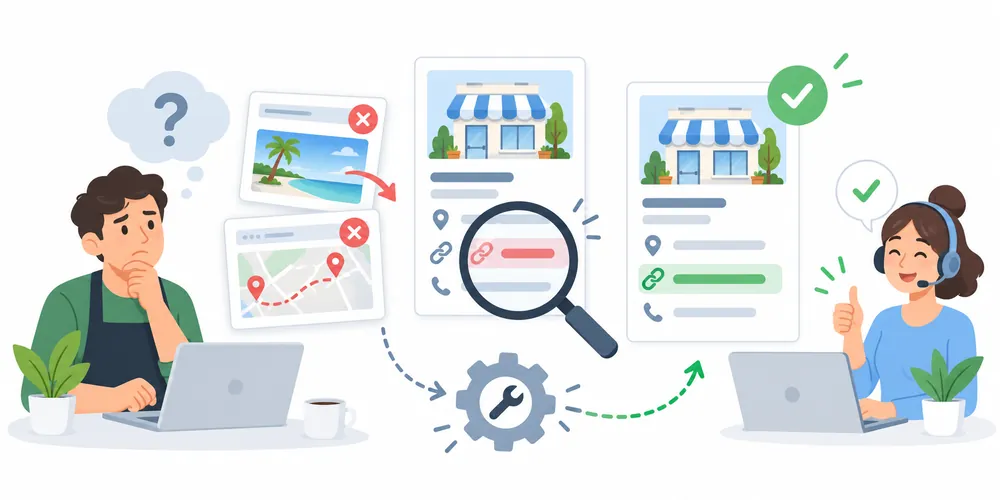
The removal control may be unavailable when Google does not classify the URL as a removable booking provider, the wrong account is signed in or the link belongs to another transaction type.
Use this diagnostic sequence:
| Check | What to verify | Next action |
| Account access | The signed-in account owns or manages the correct profile | Switch to the authorized account |
| Location | The correct branch is open | Select the affected location |
| Link type | Booking, menu, ordering and reservation are not the same control | Open the matching profile section |
| Destination | The provider and final URL are known | Save the full redirect path |
| Existing integration | Staff or corporate team may still control it | Confirm internally before removal |
| Processing period | A request may still be pending | Wait through the stated provider window |
| Recurring link | The original data source may still be active | Correct or close the provider record |
If these checks do not expose a removal option, contact the provider and Google Business Profile support. Send a concise explanation that identifies the exact profile, location, provider, destination and requested result.
A Clear Support Request Template
Use a factual request rather than a long description:
An incorrect third-party link is appearing on our verified Google Business Profile. The affected business is [business name] at [full address]. The displayed provider is [provider name], and the link opens [incorrect URL]. Our correct business URL is [correct URL]. We have attached screenshots and request removal or correction of the provider link for this location.
Add the date of the first provider-removal request when applicable. Avoid sending account passwords, customer records or payment information.
Why a Removed Link Can Return
A link can reappear when its original data source remains active. The public symptom may disappear temporarily while the underlying provider relationship stays unchanged.
Common causes and corrections include:
| Cause | Long-term correction |
| Active provider feed | End or update the provider connection |
| Duplicate provider account | Close or merge the obsolete record through the provider |
| Old location information | Correct the address, phone and location identifier |
| Franchise-level integration | Coordinate with the corporate profile manager |
| Similar business entities | Separate each location with accurate names, URLs and phone numbers |
| Website still references old vendor | Remove or update outdated buttons and structured information |
| Incomplete removal request | Resubmit with screenshots and the exact affected URL |
Recheck the profile after removal, after major profile edits and after changing booking or ordering software.
Managing Third Party Links Across Multiple Locations
Multi-location businesses should not handle provider links from memory. Use a location-level record that shows which platforms are approved.
Recommended fields include:
- Business name
- Store or clinic code
- Address
- Primary phone number
- Google Business Profile link
- Official website location page
- Direct booking, menu or ordering URL
- Approved providers
- Removed providers
- Date last checked
- Person responsible
Each location should lead to the correct local destination. A Dallas booking link should not open availability for another city. A restaurant chain should not send every branch to a generic menu when prices or items vary by location.
Businesses with complex location structures can use SEO services to review profile links, location pages, provider data and conversion paths together.
Should Every Third Party Link Be Removed
No. A working provider can make booking or ordering easier. The correct decision depends on accuracy, customer experience, fees, ownership and tracking.
| Situation | Recommended decision |
| Provider is current and converts well | Keep it |
| Correct provider but direct link is better | Set the direct route as preferred when available |
| Link opens the wrong location | Correct or remove it |
| Provider is no longer used | Remove it |
| Menu information is outdated | Correct the source and review whether the link should remain |
| Link creates privacy or compliance concerns | Pause the route and obtain suitable legal or compliance guidance |
| Staff cannot identify the provider | Investigate before changing it |
Removal should solve a verified business problem. Deleting every connected link without checking its role can reduce genuine appointments, reservations or orders.
How Incorrect Links Affect Local SEO and Conversions
An incorrect provider link is mainly a customer-journey and data-accuracy problem. It can send high-intent visitors away from the correct conversion path, create inconsistent business information and make attribution harder.
Potential effects include:
- Lost direct orders or bookings
- Customers reaching the wrong location
- Incorrect menu expectations
- Extra marketplace fees
- Poor mobile experience
- Inaccurate conversion reporting
- More calls asking for basic clarification
- Reduced trust after a failed action
Removing one unwanted link does not guarantee a ranking increase. The value comes from making the profile more accurate and giving customers a reliable next step.A digital marketing expert in Pakistan can review the wider path from Google Maps visibility to website visits, calls, forms, bookings and sales when link removal is only one part of the problem.
How This Topic Supports AI and Answer Search
People increasingly ask search tools direct troubleshooting questions such as:
- Why is SinglePlatform on my Google listing?
- How do I remove a booking provider from Google?
- Why is the wrong menu linked to my restaurant?
- Can I remove a Tripadvisor menu from Google Maps?
- Why does an old ordering link keep returning?
Clear definitions, numbered steps, decision tables and provider-specific explanations make the answer easier for users and search systems to interpret. The article should remain focused on the actual task rather than repeating the same keyword.
Business information should also stay consistent across the profile, website and active providers. AI-generated answers cannot correct a broken destination. The underlying business data still needs to be accurate.
Prevention Checklist
Use this checklist whenever booking, ordering, menu or reservation software changes:
- Record every active provider by location.
- Keep profile ownership with the business.
- Give agencies manager access instead of sharing passwords.
- Document who can approve provider connections.
- Use a unique direct destination for each real location.
- Review live links on desktop and mobile.
- Test redirects after website migrations.
- Remove old vendor links from the website.
- Close obsolete provider accounts properly.
- Check menu prices, hours and service availability.
- Confirm call, booking and order tracking.
- Save removal confirmations.
- Audit profile links at least quarterly.
- Recheck links after ownership, branding or address changes.
The Google Business Profile of a local SEO expert in Lahore provides a direct local entity reference for businesses reviewing their Maps presence and profile accuracy.
Quick Troubleshooting Checklist
Before closing the task, confirm:
- The affected profile and location are correct.
- The unwanted provider has been identified.
- The final destination URL has been saved.
- Screenshots show the public problem.
- Staff confirmed the provider is not required.
- The correct profile section was used.
- A direct link remains available when needed.
- The provider request has been documented.
- The public profile has been rechecked after processing.
- The original data source has been corrected so the link does not return.
Frequently Asked Questions
How do I remove third party links from Google Business Profile?
Open the verified Business Profile in Google Search or Maps, choose the relevant transaction section and remove the provider when that control is available. For an eligible booking provider, use Booking and then Remove Provider. Document the request and escalate it if the provider does not process it within five days.
Why did Google add a link I did not enter?
Some links are supplied by Google’s provider partners or generated through automated business data. A previous platform connection, old account, syndicated menu or provider record may be the source.
Can I remove only one food-ordering provider?
Available controls vary. Review the provider links and preferred-link options before turning off orders. The Accept orders on your profile switch can hide every ordering route, including links added directly by the business.
What is the connection between SinglePlatform and Tripadvisor?
Tripadvisor acquired SinglePlatform in 2019. Legacy SinglePlatform menu data or URLs may therefore be associated with Tripadvisor restaurant systems or redirect to Tripadvisor’s business area.
How do I remove a SinglePlatform Tripadvisor link from Google?
Identify whether the link is a menu, order, booking or listing destination. Save screenshots and the final URL, review the matching profile controls, request removal or correction from the controlling provider and escalate the unresolved issue through Google Business Profile support.
How long does third-party booking-link removal take?
Google states that a provider should remove an eligible third-party booking link within five days of receiving the request. Processing time for other corrections may vary by provider and issue type.
Why did the unwanted link come back?
The provider feed, old account, website reference or duplicate location record may still be active. Correct the original source rather than relying only on the visible profile change.
Does removing a third-party link improve Google Maps rankings?
There is no guaranteed ranking increase. The direct benefit is better profile accuracy and a clearer customer route. Strong local visibility also depends on relevance, distance, prominence, website quality, reviews and consistent business information.
Should a business keep third-party booking and ordering links?
Keep links that are accurate, approved and useful to customers. Remove or correct links that represent an old provider, wrong location, incorrect information or unwanted conversion path.
Final Takeaway
The safest way to remove third party links from Google Business Profile is to identify the exact link type before changing any settings. Booking providers may offer a direct removal control. Ordering links need more care because a single switch can hide every order option. SinglePlatform Tripadvisor links should be traced to their final destination so both the public link and its original data source can be corrected.
Document the problem, confirm the provider is no longer needed, preserve any useful direct link and recheck the profile after processing. For recurring or multi-location issues, audit provider relationships alongside website URLs, location data and conversion tracking..